---
title: "How to Connect"
description: "How to verify your account and connect to the FDG FiveM server for the first time: by connect URL, the F8 console or the server browser."
canonical_url: "https://fatduckgaming.com/server-docs/getting-started/how-to-connect"
---
# How to Connect
> How to verify your account and connect to the FDG FiveM server for the first time: by connect URL, the F8 console or the server browser.
Need to install FiveM? See [Installation](https://fatduckgaming.com/server-docs/getting-started/installation).
Now that you have [FiveM installed](https://fatduckgaming.com/server-docs/getting-started/installation), let's get you verified and connected to FDG for the first time!
Before connecting, make sure you have the [minimum required identifiers](https://fatduckgaming.com/server-docs/getting-started/minimum-identifiers) set up — a verified Discord account plus at least one of Steam, Xbox, or a Cfx.re account.
## Discord Verification
You **must** verify your Discord account **before** connecting to the server, otherwise you won't be able to join the server. Already verified? [Skip this section](#connect-to-the-server).
1. If you haven't already, join the **FDG Discord** server.
2. Go to the `#fivem-verify` text channel.
3. Type `!verify`.
4. If successful, you'll see `You have successfully verified!`
in chat.

## Connect to the Server
Once [verified in Discord](#discord-verification), you can now connect to the server! There are three ways to connect:
- By connect URL (easiest)
- By console command
- By FiveM server browser
### By Connect URL
1. In your browser, navigate to [https://rp.fatduckgaming.com](https://rp.fatduckgaming.com).
2. Your browser will ask if you want to open FiveM. Select `Open FiveM`. In Chrome, it should look like this: 
3. FiveM will launch and automatically start connecting to FDG. 
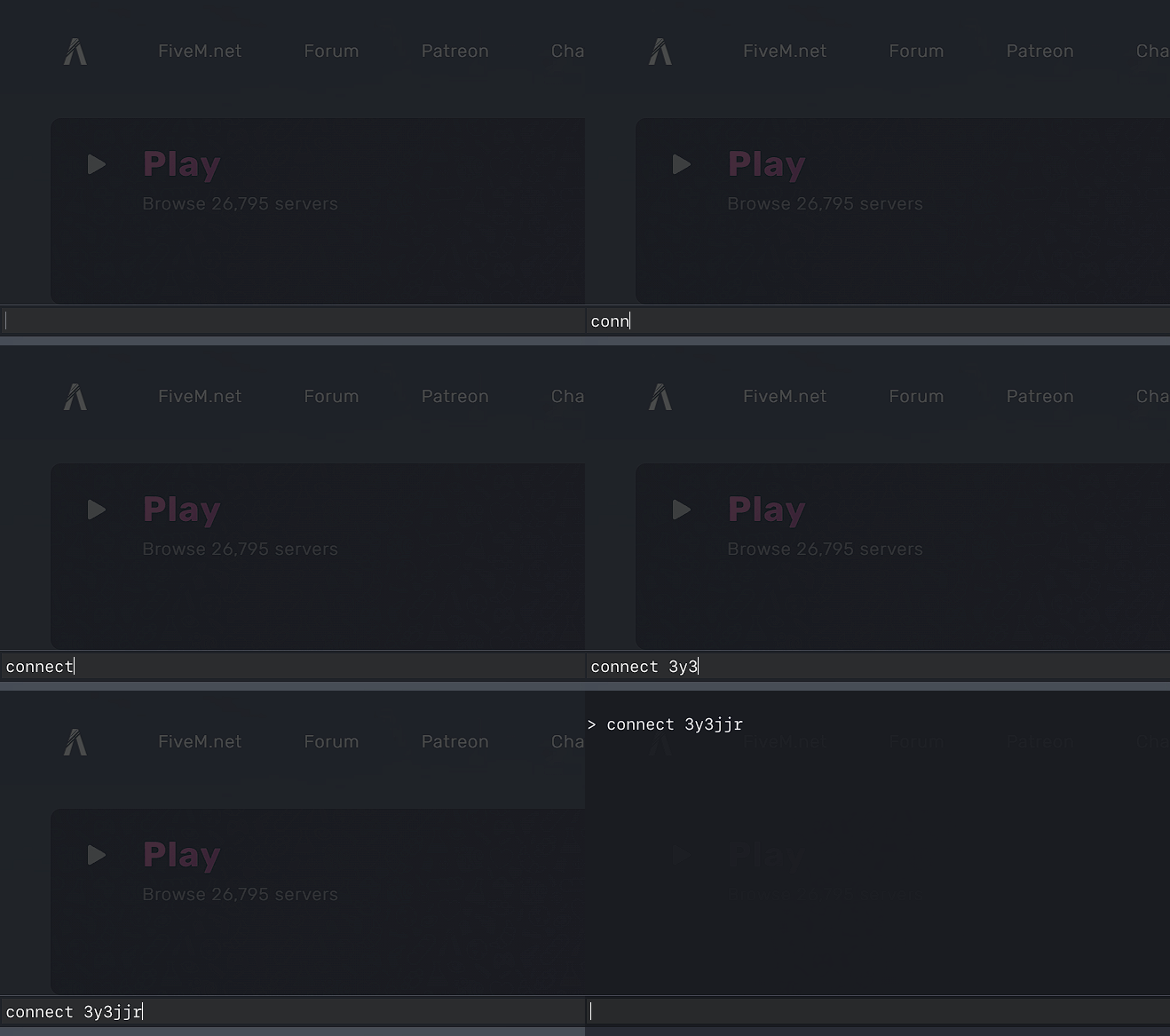
### By Console Command
1. Open FiveM.
2. Open the FiveM console using the `F8` key.
3. In the console, run `connect 3y3jjr`.
### By FiveM Server Browser
1. Open the [FiveM Server Browser](https://servers.fivem.net/) (you can also access this browser in the FiveM executable).
2. Serach for `Fat Duck Gaming`.
3. Select FDG from the results (select the server with more players on it, sometimes our test servers appear in the results). 
4. Click the `CONNECT` button. 
5. If your using the [FiveM Server Browser](https://servers.fivem.net/) in Chrome, you might need to confirm with `Open FiveM`. 
**Nice work!** You should now be connecting to Fat Duck Gaming.
## Sitemap
See the full [sitemap](https://fatduckgaming.com/sitemap.md) for all pages.